Mobile Clinic Software vs. Spreadsheets: Which Approach Works Better?
Quick Summary
Mobile clinic software and spreadsheets offer different ways to manage healthcare operations. Spreadsheets can support basic scheduling, staff records, inventory, and financial planning for smaller programs. However, managing multiple mobile units, staff assignments, supplies, and recurring deployments across separate files can increase administrative work. Mobile clinic software brings these operational activities into a structured system with scheduling, resource coordination, fleet management, inventory tracking, and reporting capabilities. The right approach depends on the organization's size, operational complexity, budget, and coordination requirements.
A mobile clinic is scheduled to visit two communities during the week. Vehicle assignments are in one spreadsheet, staff availability in another, and supply requirements in a separate document. Then a staff member becomes unavailable.
The coordinator must check assignments, find a replacement, update the schedule, and confirm that the vehicle and supplies are still suitable. Each task is manageable on its own. The challenge is keeping all the information accurate and consistent.
Spreadsheets are familiar and flexible, making them useful for organizing mobile clinic operations. However, as programs expand, coordinating multiple activities through separate files can become difficult. Mobile clinic software offers a more connected way to manage these responsibilities.
So, which approach works better? The answer depends on the program's size, operational requirements, and level of coordination.
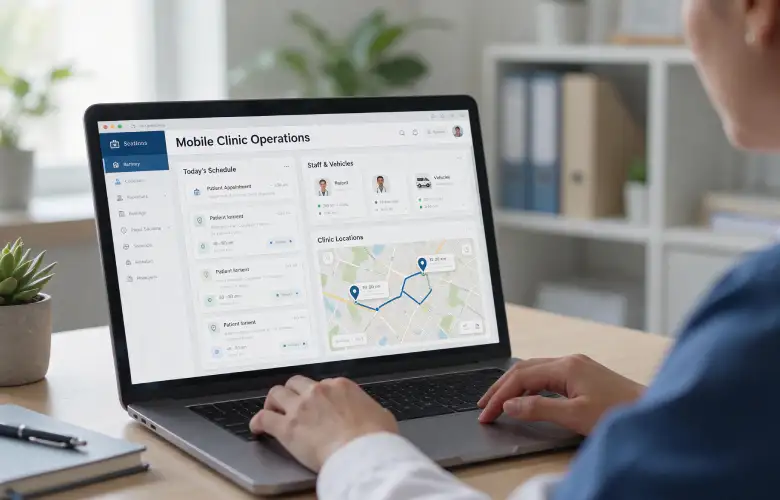
1. When Spreadsheets Are Enough for Mobile Clinic Operations
Spreadsheets are often a practical starting point. They are easy to create, familiar to most teams, and useful for organizing information without introducing a new system. For a small program with one mobile unit, a limited team, and occasional service visits, a spreadsheet may be sufficient.
Common uses include:
- Basic scheduling: Recording visit dates, locations, and service details.
- Staff records: Maintaining contact information and availability.
- Inventory tracking: Recording supply quantities and replenishment needs.
- Financial calculations: Preparing budgets and organizing expenses.
- One-time planning: Collecting information and reviewing exported records.
Teams can also customize spreadsheets with formulas, filters, and summaries to suit their requirements. For example, a coordinator can create a monthly calendar, use color coding to identify unassigned staff, or calculate the total number of planned visits.
Another advantage is that spreadsheets are easy to share and adapt. A small team can agree on a common format and make updates without a lengthy setup process.
The limitation is not the spreadsheet itself. It is the effort required when several operational activities need to stay connected. As more people update records, maintaining a consistent process becomes more important.
2. Where Multiple Spreadsheets Create Challenges
Mobile clinic deployments involve several connected requirements: staff, vehicles, supplies, service locations, and operational readiness. When each is managed separately, a change in one area can affect several others.
Information is scattered
Coordinators may need to check multiple files to understand an upcoming deployment. The schedule may be current, while staffing or vehicle records contain older information. This can make it difficult to get a complete picture quickly, particularly when different team members maintain different files.
Updates require manual coordination
If a vehicle becomes unavailable, the coordinator must review its assignments, find an alternative, check availability, and update the relevant records. The same process applies when staff assignments or supply requirements change. A change that appears simple can therefore involve several updates and conversations.
Follow-ups depend on people
A spreadsheet can identify an unfilled position or low stock level, but someone still needs to arrange a replacement or replenish supplies. Teams often rely on emails, calls, and personal reminders to close these gaps. Without a clear process for assigning responsibility and tracking completion, important follow-ups can be delayed.
Repeated entry increases inconsistencies
The same deployment details may appear in the event schedule, staff allocation sheet, vehicle tracker, and monthly report. Entering the information repeatedly takes time and increases the risk of conflicting records.
Reporting takes additional preparation
Monthly reports on completed visits, staffing gaps, or vehicle usage may require information from several files. Coordinators must collect and verify the entries before preparing a summary. As these tasks accumulate, maintaining records can take time away from managing deployments.
3. How Mobile Clinic Software Supports Daily Operations
Mobile clinic software brings related operational activities into a structured system. Depending on its capabilities, it can support scheduling, staff assignments, mobile unit management, inventory, readiness checks, and reporting.
Centralized scheduling
Teams can manage event dates, locations, service details, and recurring schedules in one place. Supported recurring scheduling functions also reduce the need to recreate similar entries for every visit. Coordinators can review upcoming activities and make changes during scheduling. This is particularly useful for programs that conduct regular visits across several communities.
Staff and resource coordination
Coordinators can manage staff assignments, review available resources, and identify unfilled roles against scheduled events. This provides a clearer view of which assignments need attention. For example, a deployment may require a provider, medical assistant, and outreach worker. Tracking these roles against an event helps coordinators identify staffing gaps before the service date rather than discovering them at the last minute.
Mobile unit and fleet management
A dedicated system can maintain vehicle details, record assignments, and help teams review availability. Where GPS tracking is supported, authorized users can also view vehicle locations and monitor fleet movement. This is useful when several units operate across different locations. Coordinators can review assignments and vehicle information without relying entirely on separate tracking files or individual updates.
Inventory and equipment tracking
Inventory functions can help teams maintain stock records, monitor quantities, and identify replenishment needs, particularly when supplies are shared across multiple units. Maintaining equipment information also helps teams account for items that need to be available before a deployment. The exact level of tracking depends on the system's capabilities and how consistently teams update records.
Operational reporting
Consistent records make it easier to review deployment activity, staffing status, and resource usage through available reports. Teams can access information without repeatedly combining separate files. Reports can also help managers identify recurring operational issues, such as frequent staffing gaps or units with higher maintenance requirements. These patterns can support planning, provided the underlying records are accurate.
4. Four Situations That Show the Difference
The practical value of each approach becomes clearer when everyday operational changes occur.
A staff member becomes unavailable
With spreadsheets, the coordinator must locate the affected assignment, check availability, update the records, and inform the team. Software that supports staff assignments and availability tracking can help identify the unfilled position and manage the replacement within the event workflow.
Several mobile units are operating
A vehicle spreadsheet can list assignments, but coordinators may need to compare records to identify an available unit. A management system can connect vehicle assignments with event schedules. GPS tracking, where available, adds visibility into vehicle locations.
Supplies are shared across deployments
Spreadsheets can calculate remaining stock and highlight low quantities. Dedicated inventory functions can help maintain records across units and identify replenishment requirements.
Management requests a monthly report
Preparing a spreadsheet-based report may involve collecting and checking entries from different files. Reporting functions can generate summaries from information already maintained in the system. In each case, software supports coordination, but staff still make the decisions and carry out the necessary actions. Its value lies in making relevant information easier to access and manage.
5. Software Does Not Automatically Mean Better Security
Security matters when selecting tools for healthcare operations. However, a spreadsheet is not automatically insecure, and dedicated software is not automatically secure. Both require appropriate safeguards.
For organizations subject to HIPAA, the Security Rule requires safeguards to protect electronic protected health information. These include access controls, audit controls, authentication, and transmission security.
The U.S. Department of Health and Human Services explains that the Security Rule is technology-neutral. Organizations should consider their size, capabilities, costs, and potential risks when selecting safeguards.
Before choosing a system, organizations should assess:
- Whether access can be restricted by user role.
- Whether user activity can be recorded and reviewed where required.
- How information is protected when stored and transmitted.
- Whether access can be updated when staff responsibilities change.
- Whether the vendor meets relevant security and contractual requirements.
Organizations should also consider how information is shared with external partners and whether users can access only the information required for their responsibilities. Choosing software does not automatically make an organization HIPAA compliant. Operational scheduling and deployment tools should also be distinguished from clinical record systems that maintain patient-specific information.
6. Compare the Total Cost of Each Approach
Spreadsheets may appear less expensive because organizations often already have access to them. Dedicated software can involve subscription fees, implementation, configuration, training, and ongoing support.
However, the purchase price is only part of the cost. Spreadsheet-based operations also require staff time to maintain files, verify updates, reconcile records, and prepare reports. These activities may not appear as separate expenses, but they add to the effort required to manage the program.
Software also requires an initial time investment. Teams need to configure the system, migrate relevant information, train users, and establish consistent procedures. There may also be a learning period while staff becomes familiar with new workflows. If the system is difficult to use or does not match the team's actual processes, adoption may be limited.
For a small program, these costs may not be justified. For a growing operation, the time spent managing separate records may become more expensive. A practical comparison should consider current administrative effort, the frequency of missed updates, the number of people involved, and whether a dedicated system would address the actual problems.
7. Signs Your Mobile Clinic Has Outgrown Spreadsheets
No fixed number of mobile units or monthly deployments determines when an organization needs dedicated software. The decision depends on operational complexity.
However, these signs may indicate that the current approach is no longer sufficient:
- Frequent missed updates: Schedule, staffing, or vehicle changes do not consistently reach everyone involved.
- Too many separate files: Information is maintained in multiple places and regularly needs reconciliation.
- Delayed reporting: Preparing operational summaries takes considerable manual effort.
- Repeated data entry: Teams recreate schedules and assignments for recurring activities.
- Limited fleet visibility: Coordinators cannot easily identify which vehicles are assigned, available, or undergoing maintenance.
- Dependence on individual knowledge: Processes become difficult to maintain when the person managing the files is unavailable.
- Growing coordination demands: More locations, recurring events, and staff roles make it harder to maintain a reliable overview.
If several of these challenges are familiar, it may be time to assess whether dedicated mobile clinic software is a better fit.
8. How to Choose the Right Mobile Clinic Software
Moving away from spreadsheets is not simply about purchasing a new tool. Organizations should first identify the operational problems they want to address.
A useful starting point is to review the current process from event planning through deployment close-out. Identify where information is recorded, who updates it, and where delays or inconsistencies occur.
When evaluating software, consider the following:
- Does it support your scheduling needs? Check whether it can manage one-time and recurring events, locations, and changes to planned activities.
- Can it handle your staffing structure? Review whether staff can be assigned by role, availability, and event requirements.
- Does it support multiple mobile units? Look for vehicle records, assignment management, availability tracking, and GPS functionality if fleet visibility is important.
- Can it manage supplies and equipment? Check whether inventory records can be maintained across units and whether replenishment needs can be identified.
- Are reports useful for your team? Review whether the system can provide the operational summaries managers need without requiring extensive manual preparation.
- Is it practical for everyday users? Coordinators and field staff should be able to understand the workflows and complete their responsibilities without unnecessary complexity.
It is also worth asking about implementation support, training, data migration, access permissions, and ongoing maintenance before deciding.
9. A Hybrid Approach Can Also Work
Moving to dedicated software does not mean spreadsheets must disappear. Spreadsheets remain useful for financial analysis, one-time data preparation, importing and exporting information, and custom summaries. Software can manage recurring operational activities that require cross-team coordination.
For example, an organization may use mobile clinic software for scheduling, staff assignments, vehicle allocation, and readiness tracking while retaining spreadsheets for financial analysis or specific reporting requirements.
The key is to establish which tool serves as the primary record for each activity. If schedules are maintained in software, teams should avoid keeping a second independent schedule in a spreadsheet.
When transitioning, organizations can begin with the activities that create the most coordination work. They can move scheduling or staff assignments first, then introduce other functions as teams become comfortable with the system.
Clear responsibilities and a planned transition help prevent conflicting records and unnecessary updates.
Choosing the Right Approach for Your Mobile Clinic Program
Spreadsheets are useful for organizing information and managing focused tasks. For smaller programs with limited operational requirements, they may be all you need.
As deployments become more complex, however, coordinating schedules, staff, vehicles, supplies, and readiness through separate files can become difficult to maintain. Mobile clinic software offers a more connected way to manage these activities.
SocialRoots.ai's Mobile Healthcare Management Software supports mobile clinic operations through event scheduling, staff and resource assignment, mobile unit management, inventory tracking, readiness checklists, reporting, and GPS-based fleet tracking.
Ultimately, the decision is not about replacing every spreadsheet. It is about choosing an approach that fits the way the program operates today and can support its future requirements.
Reference
- U.S. Department of Health and Human Services: Summary of the HIPAA Security Rule - Guidance on safeguards for electronic protected health information and the technology-neutral approach to security.